> For the complete documentation index, see [llms.txt](https://ticketking.xyz/docs/llms.txt). Markdown versions of documentation pages are available by appending `.md` to page URLs; this page is available as [Markdown](https://ticketking.xyz/docs/steam-linking/overview.md).
# What Steam Linking does
Link Discord members to their Steam accounts so staff can verify ownership and view profiles from tickets.
:crown: **Premium feature.** Steam Linking lets members link their Steam account to their Discord account. Your staff can then check that a member owns a Steam account and open the member's public Steam profile from a ticket.
This is useful for game communities. You can confirm account ownership for a support request and open the member's profile to look into a game-related issue.
## What you get
* A **Link Steam Account** button that appears before a ticket opens, when you require it on a panel option.
* A **Steam Linking** page on the dashboard that lists every linked Discord-to-Steam pairing in your server.
* A `{STEAM_ID}` placeholder you can use in the custom ticket name, the ticket messages, and the staff thread message.
* A way for a member to unlink with `/unlinksteam`. Staff can also unlink a member.
## Two places to set it up
### 1. The server-wide duration setting
Open Settings, then the **Steam Linking Settings** group, then the **Steam Linking Duration** field. This sets how long a linked Steam account stays valid before the member must link again.
Until your server has premium, this field is disabled with the reason *"Steam linking is not configured for this server"*. Premium servers get it automatically within a few minutes of upgrading.
### 2. The per-option requirement
On a panel option, the **Advanced tab** has a **Steam ID Integration** toggle. Turn it on to make members link their Steam account before they can open that option's tickets.
[Requiring Steam linking on a panel option](/docs/steam-linking/requiring-on-a-panel-option.md)
## The dashboard page
On the dashboard, open **Steam Linking** in the sidebar. The whole page is Premium. Free servers see a locked preview of the feature.
On a premium server, the page shows a paginated table of every linked Discord-to-Steam pairing.
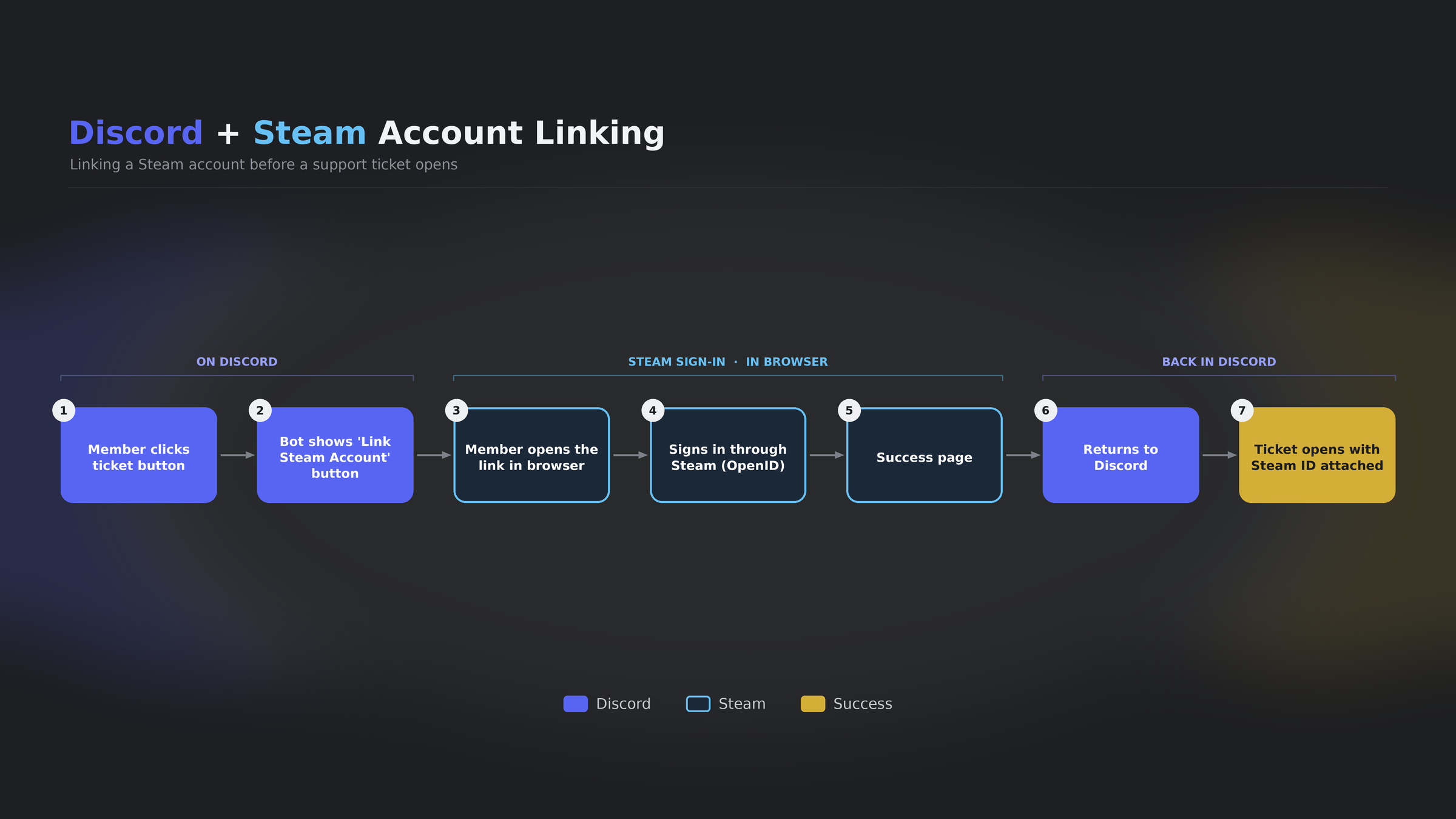
## The member experience
When a member clicks a panel option that requires Steam linking:
1. The bot checks whether they already have a current Steam link.
2. If they do not, the bot shows a **Link Steam Account** button instead of opening the ticket form.
3. They click it, and a link opens in their browser.
4. They sign in to Steam.
5. The link is saved, and they return to Discord.
6. The option now opens the ticket as normal.
Their Steam ID is then placed in the opening embed, and in any `{STEAM_ID}` placeholder you have used in the custom ticket name or ticket messages.
[What members see when they link their Steam account](/docs/steam-linking/what-members-see.md)
## Privacy
Steam Linking records the member's **Steam ID** only. It does not record their playtime, game library, or friends list. The link is a one-to-one mapping so your staff can confirm ownership and open the public Steam profile.
## Related
{% content-ref url="/pages/HmqWXSbQjBSwLCeqqD8B" %}
[Turning Steam Linking on](/docs/steam-linking/turning-it-on.md)
{% endcontent-ref %}
{% content-ref url="/pages/fsVZpDhUPIhDnOhX0o54" %}
[The link duration setting](/docs/steam-linking/link-duration.md)
{% endcontent-ref %}
{% content-ref url="/pages/Ycv0yN9uGz2WschSrSv6" %}
[Requiring Steam linking on a panel option](/docs/steam-linking/requiring-on-a-panel-option.md)
{% endcontent-ref %}
---
# Agent Instructions
This documentation is published with GitBook. GitBook is the documentation platform designed so that both humans and AI agents can read, navigate, and reason over technical content effectively. Learn more at gitbook.com.
## Querying This Documentation
If you need additional information that is not directly available in this page, you can query the documentation dynamically by asking a question.
Perform an HTTP GET request on the current page URL with the `ask` query parameter, and the optional `goal` query parameter:
```
GET https://ticketking.xyz/docs/steam-linking/overview.md?ask=&goal=
```
`ask` is the immediate question: it should be specific, self-contained, and written in natural language.
`goal` is optional and describes the broader end goal you are ultimately trying to accomplish on behalf of the user. GitBook uses it to tailor the answer towards what is most useful for that goal.
The response will contain a direct answer to the question and relevant excerpts and sources from the documentation.
Use this mechanism when the answer is not explicitly present in the current page, you need clarification or additional context, or you want to retrieve related documentation sections.