> For the complete documentation index, see [llms.txt](https://ticketking.xyz/docs/llms.txt). Markdown versions of documentation pages are available by appending `.md` to page URLs; this page is available as [Markdown](https://ticketking.xyz/docs/settings/ticket-style-and-claiming.md).
# Ticket Style and Claiming
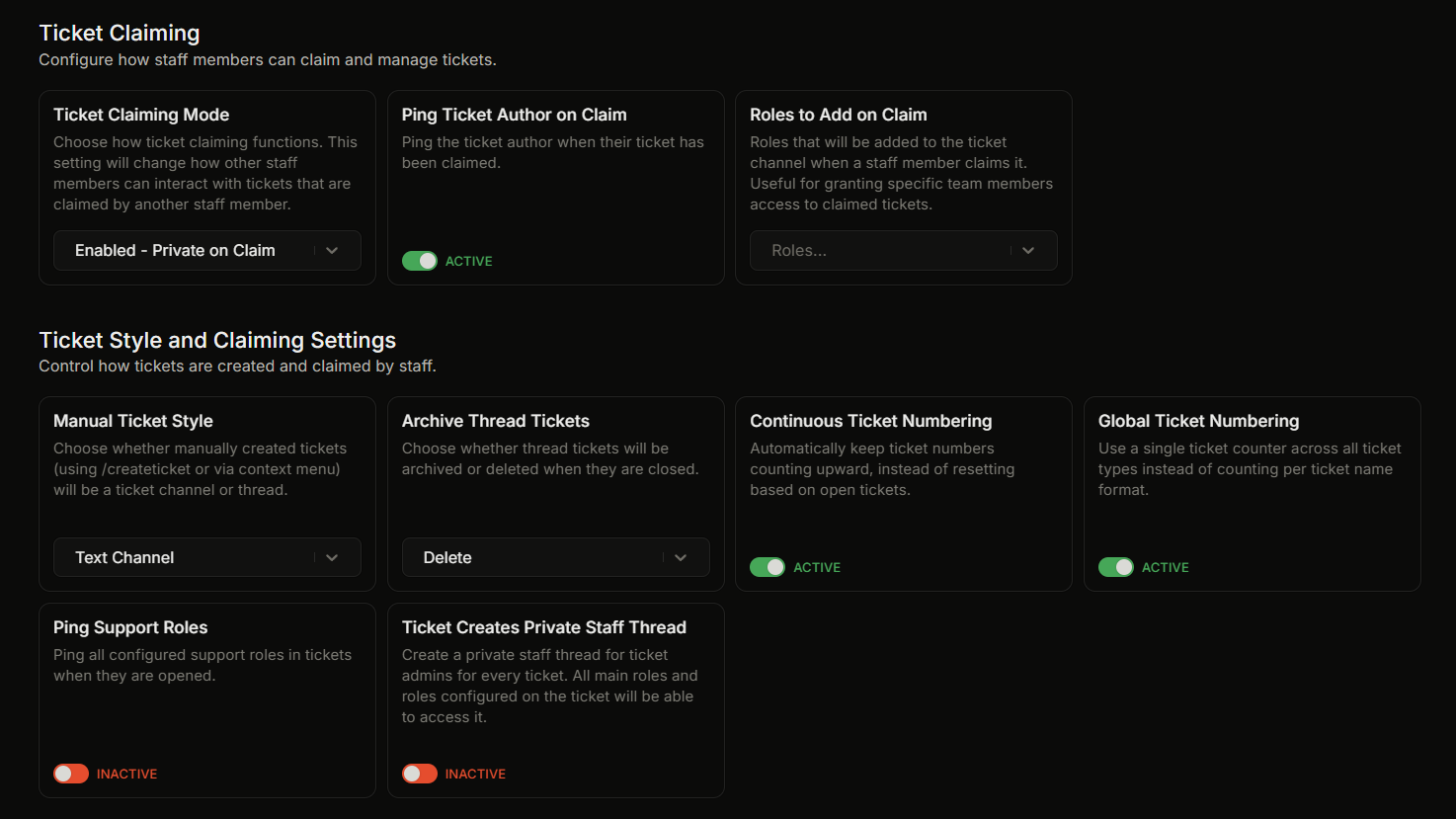
The Ticket Claiming and Ticket Style and Claiming Settings groups.
Claiming and ticket-style settings live in two separate groups on the Settings page. This page covers both.
## Ticket Claiming
This group controls how claiming works.
| UI label | What it does | Default |
| ------------------------------- | -------------------------------------------------------------------------------------- | -------------------------- |
| **Ticket Claiming Mode** | How `/claim` behaves. See the claim modes below. | Enabled - Private on Claim |
| **Ping Ticket Author on Claim** | When on, claiming pings the ticket author. Only takes effect when claiming is enabled. | On |
| **Roles to Add on Claim** | Roles added to the channel when a staff member claims. Up to 25. | None |
### Claim modes
* **Claiming Disabled.** Claiming is off.
* **Enabled - No Changes.** Claiming works and channel visibility does not change.
* **Enabled - Read-Only for Others.** After a claim, other staff can view the ticket but cannot send messages in it.
* **Enabled - Private on Claim.** After a claim, the ticket is restricted to the opener, the staff member who claimed, and the bot. This is the default.
## Ticket Style and Claiming Settings
This group controls how tickets are created.
| UI label | What it does | Default |
| --------------------------------------- | -------------------------------------------------------------------------------------------------------------------------------------------- | ------------ |
| **Manual Ticket Style** | Style used by `/createticket` and the right-click "Create Ticket" action. Text Channel or Private Thread. | Text Channel |
| **Archive Thread Tickets** | When a thread ticket closes, archive the thread or delete it. | Delete |
| **Continuous Ticket Numbering** | When on, ticket numbers keep counting upward instead of reusing freed numbers. | On |
| **Global Ticket Numbering** | When on, all custom ticket names share one counter. Requires Continuous Ticket Numbering to be on. | On |
| **Ping Support Roles** | When on, the configured support roles get pinged when a ticket opens. | Off |
| **Ticket Creates Private Staff Thread** | When on, every new ticket also creates a private staff thread. | Off |
| **Code-Wrap Question Responses** | When on, text answers to ticket questions are wrapped in inline code so they're tap-to-copy on mobile. When off, answers show as plain text. | Off |
{% hint style="info" %}
The server-wide and per-user limits on open tickets (**Max Active Tickets** and **Max Active Tickets Per User**) are in the **Server Settings & Logging** group, not here.
{% endhint %}
## Detailed pages
* [Thread tickets vs channel tickets](/docs/tickets/thread-vs-channel.md)
* [Ticket numbering](/docs/tickets/ticket-numbering.md)
* [Claiming a ticket and the 4 modes](/docs/tickets/claiming-a-ticket.md)
* [Support roles](/docs/permissions-and-your-support-team/support-roles.md)
* [Limits on open tickets](/docs/tickets/limits-on-open-tickets.md)
## Related
{% content-ref url="/pages/bMLvaN6SRnkJa0CP1UBr" %}
[Settings overview](/docs/settings/overview.md)
{% endcontent-ref %}
---
# Agent Instructions
This documentation is published with GitBook. GitBook is the documentation platform designed so that both humans and AI agents can read, navigate, and reason over technical content effectively. Learn more at gitbook.com.
## Querying This Documentation
If you need additional information that is not directly available in this page, you can query the documentation dynamically by asking a question.
Perform an HTTP GET request on the current page URL with the `ask` query parameter, and the optional `goal` query parameter:
```
GET https://ticketking.xyz/docs/settings/ticket-style-and-claiming.md?ask=&goal=
```
`ask` is the immediate question: it should be specific, self-contained, and written in natural language.
`goal` is optional and describes the broader end goal you are ultimately trying to accomplish on behalf of the user. GitBook uses it to tailor the answer towards what is most useful for that goal.
The response will contain a direct answer to the question and relevant excerpts and sources from the documentation.
Use this mechanism when the answer is not explicitly present in the current page, you need clarification or additional context, or you want to retrieve related documentation sections.