> For the complete documentation index, see [llms.txt](https://ticketking.xyz/docs/llms.txt). Markdown versions of documentation pages are available by appending `.md` to page URLs; this page is available as [Markdown](https://ticketking.xyz/docs/settings/server-settings.md).
# Server Settings & Logging
Server-wide language, embed color, and log channels.
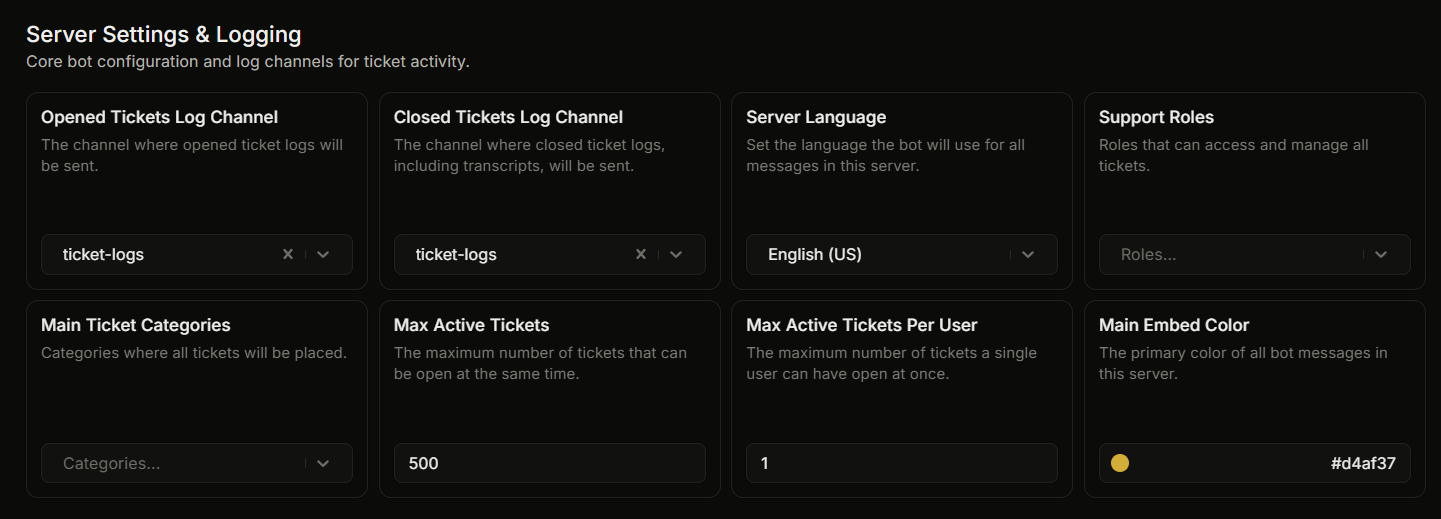
The first group on the Settings page covers the most-used server-wide settings.
| UI label | What it does | Default |
| ------------------------------- | ------------------------------------------------------------------------------------------------------- | ---------------- |
| **Opened Tickets Log Channel** | Discord channel that gets a "Ticket Opened" embed each time a ticket opens. | None |
| **Closed Tickets Log Channel** | Discord channel that gets a "Ticket Closed" embed (with the transcript link) each time a ticket closes. | None |
| **Server Language** | The language the bot uses for all messages in this server. 40 supported languages. | English |
| **Support Roles** | Roles that can access and manage every ticket. Up to 25. | None |
| **Main Ticket Categories** | Categories where all tickets are placed. Up to 25. | None |
| **Max Active Tickets** | The most tickets that can be open at once across the whole server. Range 1 to 2000. | 500 |
| **Max Active Tickets Per User** | The most tickets a single member can have open at once. Range 1 to 2000. | 1 |
| **Main Embed Color** | Accent color on every Ticket King embed in your server. Hex value. | `#d4af37` (gold) |
Support Roles and Main Ticket Categories are free. There is no premium item in this group. (Blocked roles are also free, but they are set in their own Blocked Roles group, not here.)
## Detailed pages
* [The Server Language setting](https://ticketking.xyz/docs/languages/server-language.md)
* [The server embed color](https://ticketking.xyz/docs/customization-and-branding/server-embed-color.md)
* [Log channels](https://ticketking.xyz/docs/logging/three-log-channels.md)
## Related
{% content-ref url="/pages/bMLvaN6SRnkJa0CP1UBr" %}
[Settings overview](https://ticketking.xyz/docs/settings/overview.md)
{% endcontent-ref %}
---
# Agent Instructions
This documentation is published with GitBook. GitBook is the documentation platform designed so that both humans and AI agents can read, navigate, and reason over technical content effectively. Learn more at gitbook.com.
## Querying This Documentation
If you need additional information that is not directly available in this page, you can query the documentation by asking a question.
Perform an HTTP GET request on the following URL with the `ask` and `goal` query parameters:
```
GET https://ticketking.xyz/docs/settings/server-settings.md?ask=&goal=
```
`ask` is the immediate question: it should be specific, self-contained, and written in natural language.
`goal` is what the user is ultimately trying to achieve, the reason they need the answer. Sharing it helps GitBook give you a better, more relevant answer. A goal is most helpful when it describes the outcome the user wants rather than restating the question. For example, with `ask=how do I create an API token`, a goal like `automate deployments from our CI pipeline` lets GitBook tailor the answer to that use case.
The response will contain a direct answer to the question and relevant excerpts and sources from the documentation.
Use this mechanism when the answer is not explicitly present in the current page, you need clarification or additional context, or you want to retrieve related documentation sections.