> For the complete documentation index, see [llms.txt](https://ticketking.xyz/docs/llms.txt). Markdown versions of documentation pages are available by appending `.md` to page URLs; this page is available as [Markdown](https://ticketking.xyz/docs/pt-br/paineis/public-presets.md).
# Predefinições públicas
O catálogo selecionado de designs iniciais de painel.
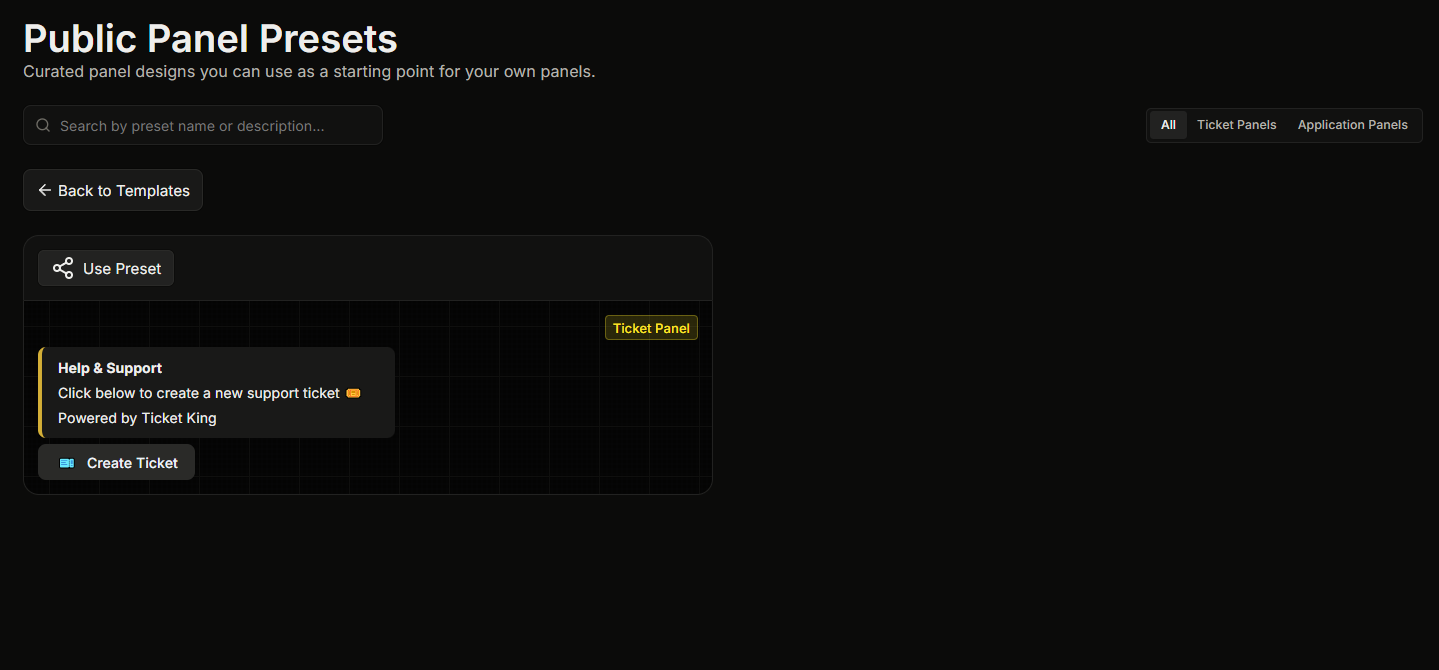
Presets Públicos são modelos de painéis selecionados pelo desenvolvedor. Eles abrangem fluxos de trabalho comuns de tickets, como suporte geral, relatos de bugs, candidaturas da equipe e parcerias.
Ao contrário dos seus privados [Modelos](https://ticketking.xyz/docs/pt-br/paineis/templates.md), os Presets Públicos são **disponíveis para todos os servidores** e são mantidos atualizados pelo desenvolvedor.
## Navegando pelo catálogo
1. Abra a **Modelos** página na barra lateral.
2. Clique no **Presets Públicos** botão no topo da página.
Isso abre a **Presets Públicos de Painel** página, onde cada preset é mostrado como um cartão com pré-visualização ao vivo. Você pode pesquisar no catálogo pelo nome.
## Usando um preset
No cartão do preset, clique em **Usar preset**. Isso inicia um novo painel pré-preenchido com o design do preset. O assistente completo de criação é ignorado. Você só precisa escolher o canal para o qual enviar o painel antes de chegar ao editor.
Você pode editar qualquer coisa antes de salvar.
## O que os presets não são
* **Não é um contrato.** Cada preset é totalmente personalizável depois que você iniciar um painel a partir dele.
* **Não é sua equipe de suporte.** Um preset fornece apenas o design. Seu painel ainda usa as funções de suporte do seu servidor, seus canais e suas configurações.
## Relacionado
{% content-ref url="/pages/982abeff391a7337b764eb19801e6a9e73f05ecb" %}
[Modelos](https://ticketking.xyz/docs/pt-br/paineis/templates.md)
{% endcontent-ref %}
---
# Agent Instructions
This documentation is published with GitBook. GitBook is the documentation platform designed so that both humans and AI agents can read, navigate, and reason over technical content effectively. Learn more at gitbook.com.
## Querying This Documentation
If you need additional information that is not directly available in this page, you can query the documentation by asking a question.
Perform an HTTP GET request on the following URL with the `ask` and `goal` query parameters:
```
GET https://ticketking.xyz/docs/pt-br/paineis/public-presets.md?ask=&goal=
```
`ask` is the immediate question: it should be specific, self-contained, and written in natural language.
`goal` is what the user is ultimately trying to achieve, the reason they need the answer. Sharing it helps GitBook give you a better, more relevant answer. A goal is most helpful when it describes the outcome the user wants rather than restating the question. For example, with `ask=how do I create an API token`, a goal like `automate deployments from our CI pipeline` lets GitBook tailor the answer to that use case.
The response will contain a direct answer to the question and relevant excerpts and sources from the documentation.
Use this mechanism when the answer is not explicitly present in the current page, you need clarification or additional context, or you want to retrieve related documentation sections.