> For the complete documentation index, see [llms.txt](https://ticketking.xyz/docs/llms.txt). Markdown versions of documentation pages are available by appending `.md` to page URLs; this page is available as [Markdown](https://ticketking.xyz/docs/permissions-and-your-support-team/blocked-roles.md).
# Blocked Roles
Stop specific roles from opening tickets or using the bot.
Blocked roles stop specific Discord roles from using Ticket King. There are three levels.
## Server-wide blocked roles (Free)
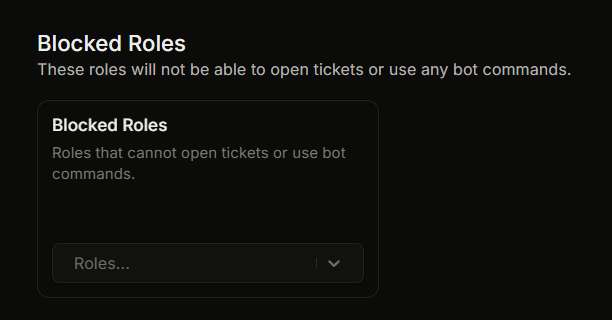
Set these in **Settings**, in the **Blocked Roles** section. Up to 25 roles.
Members with any of these roles cannot use any bot commands and cannot open tickets anywhere in the server. This is the broadest block.
Adding a role shows a confirmation:
> **Add Blocked Roles?**
>
> Users with blocked roles will not be able to open tickets or use any bot commands in this server. Are you sure you want to add these roles?
Use a server-wide block for a muted or restricted role, or for a member who has been spamming tickets.
## Per-panel blocked roles (Premium)
Set a panel's **Default Blocked Roles** in the panel-wide defaults. Members blocked at the panel level cannot use any option on that panel, but can still use other panels.
## Per-option blocked roles (Premium)
Set **Blocked Roles** in the General tab of a single option. This blocks only that one option. Members can still use the other options on the same panel.
Server-wide blocked roles are free. The per-panel and per-option blocked roles are Premium.
## What a blocked member sees
When a blocked member tries to open a ticket or use a command, the bot replies with a short block message in your server's language.
## Removing a block
Edit the blocked-roles list and remove the role. The change takes effect right away. Tickets that are already open are not affected. The block applies to new ticket creation and command use.
## Common questions
{% hint style="info" %}
**A muted member keeps spam-opening tickets.** Add your muted role to the server-wide blocked roles. They can be both chat-muted and blocked from opening tickets.
{% endhint %}
{% hint style="warning" %}
**Why can a regular member not open tickets?** Check whether any of their roles is on a blocked-roles list (server-wide, panel, or option). The block applies if any one of their roles is blocked, even if their other roles would normally allow access.
{% endhint %}
## Related
{% content-ref url="/pages/aHGH6BOJh48aZHUVoiWW" %}
[Per-option settings](/docs/panels/per-option-settings.md)
{% endcontent-ref %}
---
# Agent Instructions
This documentation is published with GitBook. GitBook is the documentation platform designed so that both humans and AI agents can read, navigate, and reason over technical content effectively. Learn more at gitbook.com.
## Querying This Documentation
If you need additional information that is not directly available in this page, you can query the documentation dynamically by asking a question.
Perform an HTTP GET request on the current page URL with the `ask` query parameter, and the optional `goal` query parameter:
```
GET https://ticketking.xyz/docs/permissions-and-your-support-team/blocked-roles.md?ask=&goal=
```
`ask` is the immediate question: it should be specific, self-contained, and written in natural language.
`goal` is optional and describes the broader end goal you are ultimately trying to accomplish on behalf of the user. GitBook uses it to tailor the answer towards what is most useful for that goal.
The response will contain a direct answer to the question and relevant excerpts and sources from the documentation.
Use this mechanism when the answer is not explicitly present in the current page, you need clarification or additional context, or you want to retrieve related documentation sections.