> For the complete documentation index, see [llms.txt](https://ticketking.xyz/docs/llms.txt). Markdown versions of documentation pages are available by appending `.md` to page URLs; this page is available as [Markdown](https://ticketking.xyz/docs/panels/edit-a-link-button.md).
# Edit a link button
A button that sends members to a URL instead of opening a ticket.
A **link button** opens a website when clicked instead of opening a ticket. It is useful for pointing members to self-service options before they open a ticket.
A link button has a fixed grey appearance with a small external-link icon that Discord adds. You cannot change its color.
## When link buttons make sense
* "Read the FAQ first" links to your FAQ.
* "Status page" links to your uptime or status page.
* "Join the community Discord" links to your community server.
* "Documentation" links to your wiki.
Use them anywhere a non-ticket action is more helpful than opening a ticket.
## Adding a link button
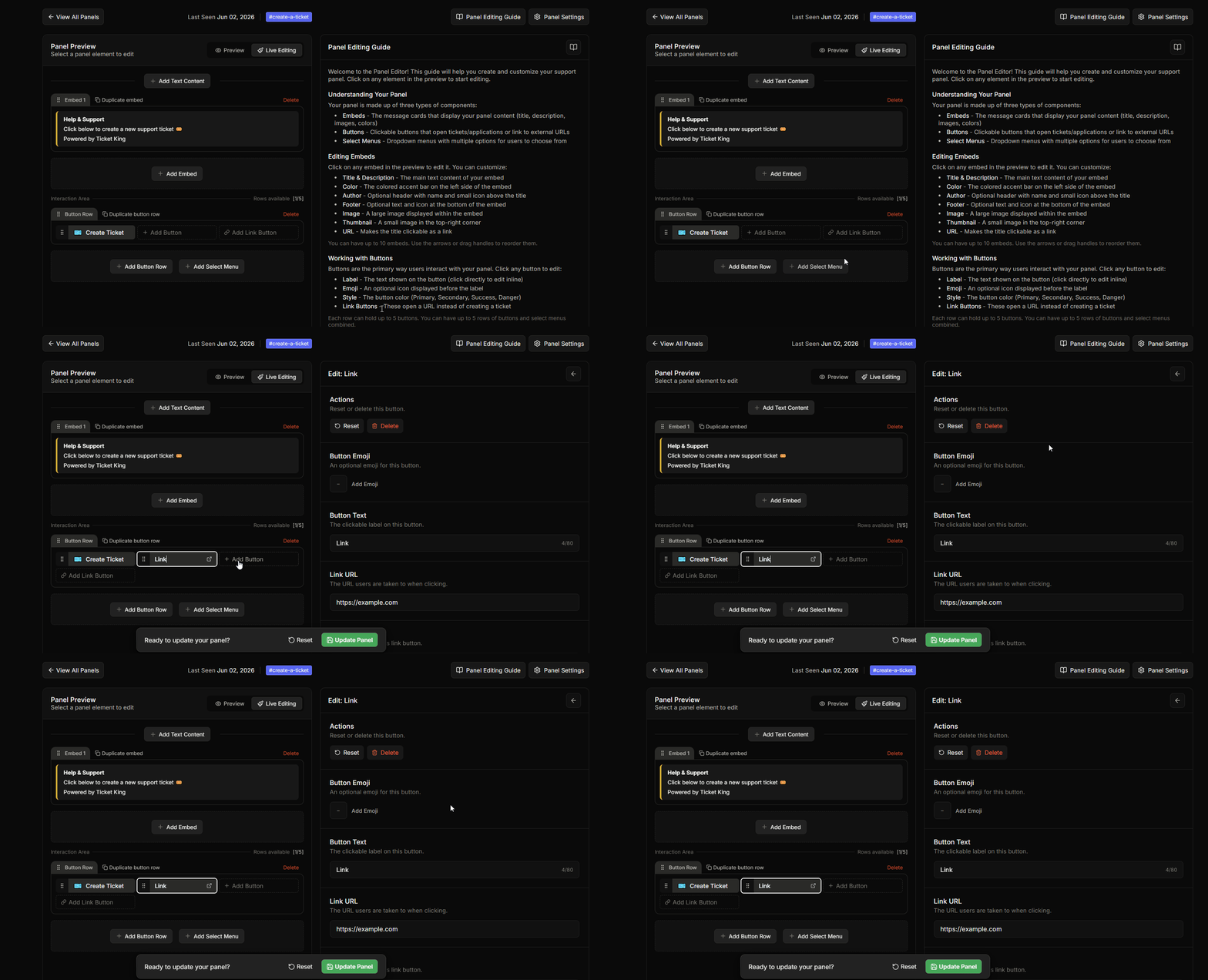
In the panel editor, click **Add Link Button**. Buttons are added with either **Add Button** or **Add Link Button**, and there is no toggle to convert one type into the other. The link-button editor is a simpler form because link buttons do not open tickets, so they have no per-option settings.
## Link-button editor fields
| Field | Cap | Notes |
| ---------------- | -------------- | ----------------------------------------------------- |
| **Button Text** | 80 characters | Label on the button. |
| **Link URL** | 512 characters | Full web link. Must start with http\:// or https\://. |
| **Button Emoji** | n/a | Optional emoji to the left of the label. |
There are no other fields. A link button has no support role, no category, and no form. It only opens the website you set.
## Discord's trust prompt
When a member clicks a link button, Discord shows a prompt warning that the link leads outside Discord and asks them to confirm before the site opens. This is a built-in Discord safety step, and Ticket King does not control it.
Members can choose to trust the site so Discord stops warning them about that link.
## Best practices
{% hint style="info" %}
**Pair link buttons with real ticket buttons.** A common pattern: a Primary "Open Ticket" button + a link "Read FAQ" button. The link nudges self-service without dominating.
{% endhint %}
{% hint style="warning" %}
**Don't make every button a link button.** Members need to actually be able to open a ticket. Keep at least one real ticket button.
{% endhint %}
## Custom-command embeds
Custom commands (Premium) also support link buttons in their embeds. Same restrictions: must start with http\:// or https\://, max 512 characters.
→ [Custom commands](/docs/custom-commands/overview.md)
## Related
{% content-ref url="/pages/26CaDdu7xwN1Wh12EuWh" %}
[Edit a button](/docs/panels/edit-a-button.md)
{% endcontent-ref %}
---
# Agent Instructions
This documentation is published with GitBook. GitBook is the documentation platform designed so that both humans and AI agents can read, navigate, and reason over technical content effectively. Learn more at gitbook.com.
## Querying This Documentation
If you need additional information that is not directly available in this page, you can query the documentation dynamically by asking a question.
Perform an HTTP GET request on the current page URL with the `ask` query parameter, and the optional `goal` query parameter:
```
GET https://ticketking.xyz/docs/panels/edit-a-link-button.md?ask=&goal=
```
`ask` is the immediate question: it should be specific, self-contained, and written in natural language.
`goal` is optional and describes the broader end goal you are ultimately trying to accomplish on behalf of the user. GitBook uses it to tailor the answer towards what is most useful for that goal.
The response will contain a direct answer to the question and relevant excerpts and sources from the documentation.
Use this mechanism when the answer is not explicitly present in the current page, you need clarification or additional context, or you want to retrieve related documentation sections.