> For the complete documentation index, see [llms.txt](https://ticketking.xyz/docs/llms.txt). Markdown versions of documentation pages are available by appending `.md` to page URLs; this page is available as [Markdown](https://ticketking.xyz/docs/es/premium/subscribing.md).
# Suscribirse
Cómo actualizar un servidor a Premium.
Las suscripciones se gestionan a través de tu **panel en ticketking.xyz**.
Abre Premium en tu panel
## Paso a paso
{% stepper %}
{% step %}
### Abre la página de Premium
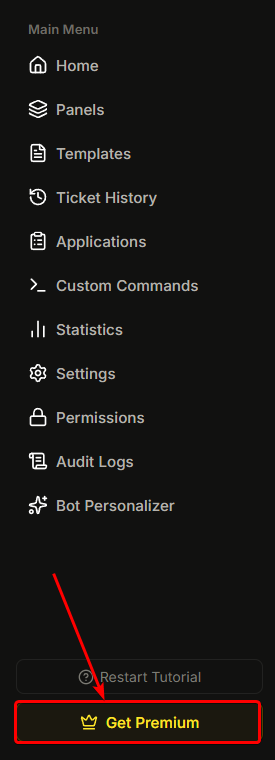
**Barra lateral → Premium** (o haz clic en "Gestionar Premium" en la parte inferior de cualquier página del panel).
{% endstep %}
{% step %}
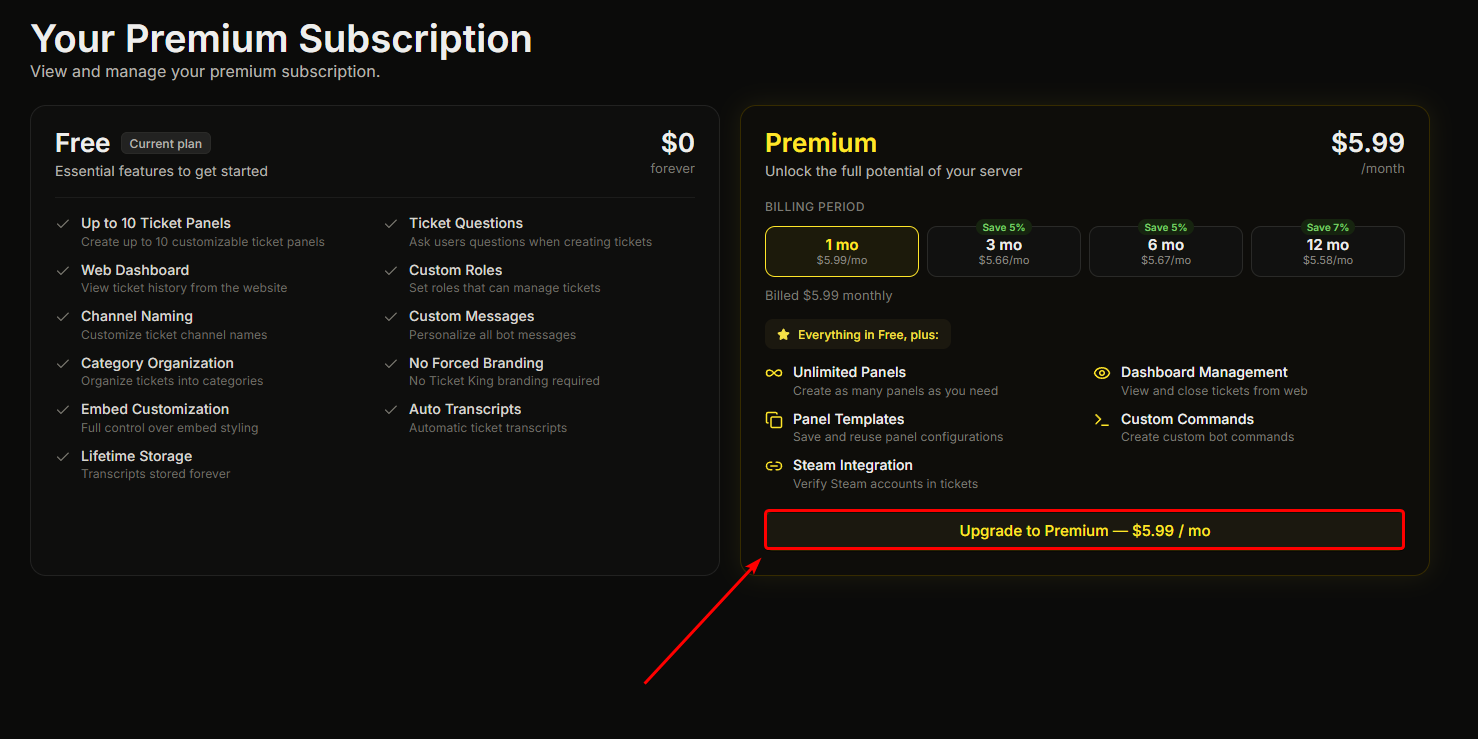
### Haz clic en Actualizar a Premium
Haz clic en el **Actualizar a Premium** botón.
{% endstep %}
{% step %}
### Completa el pago
Se te dirigirá a un pago seguro de nuestro proveedor de pagos, ya sea en una ventana emergente o mediante una redirección. Sigue las indicaciones para introducir tus datos de pago y completar la compra.
{% endstep %}
{% step %}
### Vuelve al panel
Se te devolverá a la página de Premium, que confirma que tu pago se procesó y espera a que Premium se active.
{% endstep %}
{% step %}
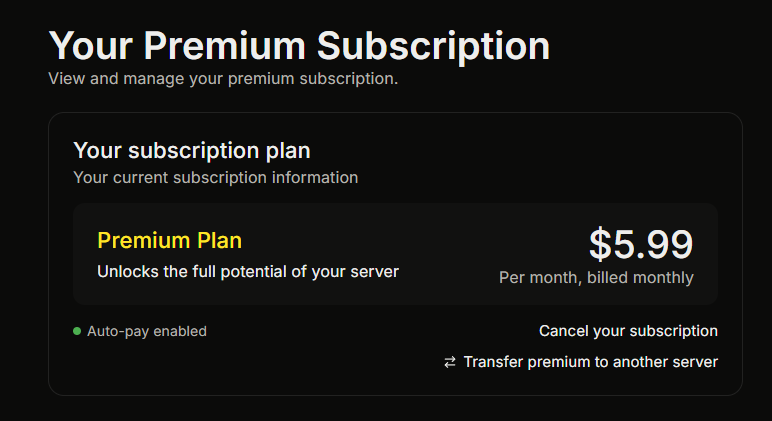
### Premium se activa
Normalmente en un minuto, la página de Premium indica que Premium está activo y las funciones premium se desbloquean en todo el servidor.
{% endstep %}
{% endstepper %}
## Permisos para suscribirte
Necesitas el **Gestionar Premium** permiso del panel, o ser el propietario del servidor / Administrador de Discord.
## Qué se activa inmediatamente después de la compra
En un par de minutos:
* Las páginas de Premium de tu panel (Estadísticas, Vinculación de Steam, Comandos personalizados, Personalizador del bot) se desbloquean.
* Las funciones del panel restringidas por Premium comienzan a aplicarse (Roles obligatorios, solicitudes de vinculación de Steam, etc.).
* El Personalizador del bot se reaplica automáticamente si tienes uno configurado.
## Si Premium no se activa en 5 minutos
Es raro, pero si completas el pago y no ves que Premium se active:
1. Actualiza el panel.
2. Comprueba la página de Premium. Debería mostrar tu suscripción como activa.
3. Si no es así, contacta con . El equipo puede resolverlo rápidamente.
## Suscribirse a varios servidores
Puedes suscribirte a varios servidores, cada uno con su propia suscripción. Gestiona todos desde [ticketking.xyz/user/subscriptions](https://ticketking.xyz/user/subscriptions).
También puedes **transferir** una suscripción activa de un servidor a otro, desde la página de Premium del servidor o desde tu página de suscripciones.
→ [Gestionar tu suscripción](https://ticketking.xyz/docs/es/premium/managing-your-subscription.md)
## Relacionado
{% content-ref url="/pages/94197cb56716233d57ee049d0fc390485de977f2" %}
[Gestionar tu suscripción](https://ticketking.xyz/docs/es/premium/managing-your-subscription.md)
{% endcontent-ref %}
---
# Agent Instructions
This documentation is published with GitBook. GitBook is the documentation platform designed so that both humans and AI agents can read, navigate, and reason over technical content effectively. Learn more at gitbook.com.
## Querying This Documentation
If you need additional information that is not directly available in this page, you can query the documentation by asking a question.
Perform an HTTP GET request on the following URL with the `ask` and `goal` query parameters:
```
GET https://ticketking.xyz/docs/es/premium/subscribing.md?ask=&goal=
```
`ask` is the immediate question: it should be specific, self-contained, and written in natural language.
`goal` is what the user is ultimately trying to achieve, the reason they need the answer. Sharing it helps GitBook give you a better, more relevant answer. A goal is most helpful when it describes the outcome the user wants rather than restating the question. For example, with `ask=how do I create an API token`, a goal like `automate deployments from our CI pipeline` lets GitBook tailor the answer to that use case.
The response will contain a direct answer to the question and relevant excerpts and sources from the documentation.
Use this mechanism when the answer is not explicitly present in the current page, you need clarification or additional context, or you want to retrieve related documentation sections.