> For the complete documentation index, see [llms.txt](https://ticketking.xyz/docs/llms.txt). Markdown versions of documentation pages are available by appending `.md` to page URLs; this page is available as [Markdown](https://ticketking.xyz/docs/es/paneles/public-presets.md).
# Preajustes públicos
El catálogo curado de diseños de paneles iniciales.
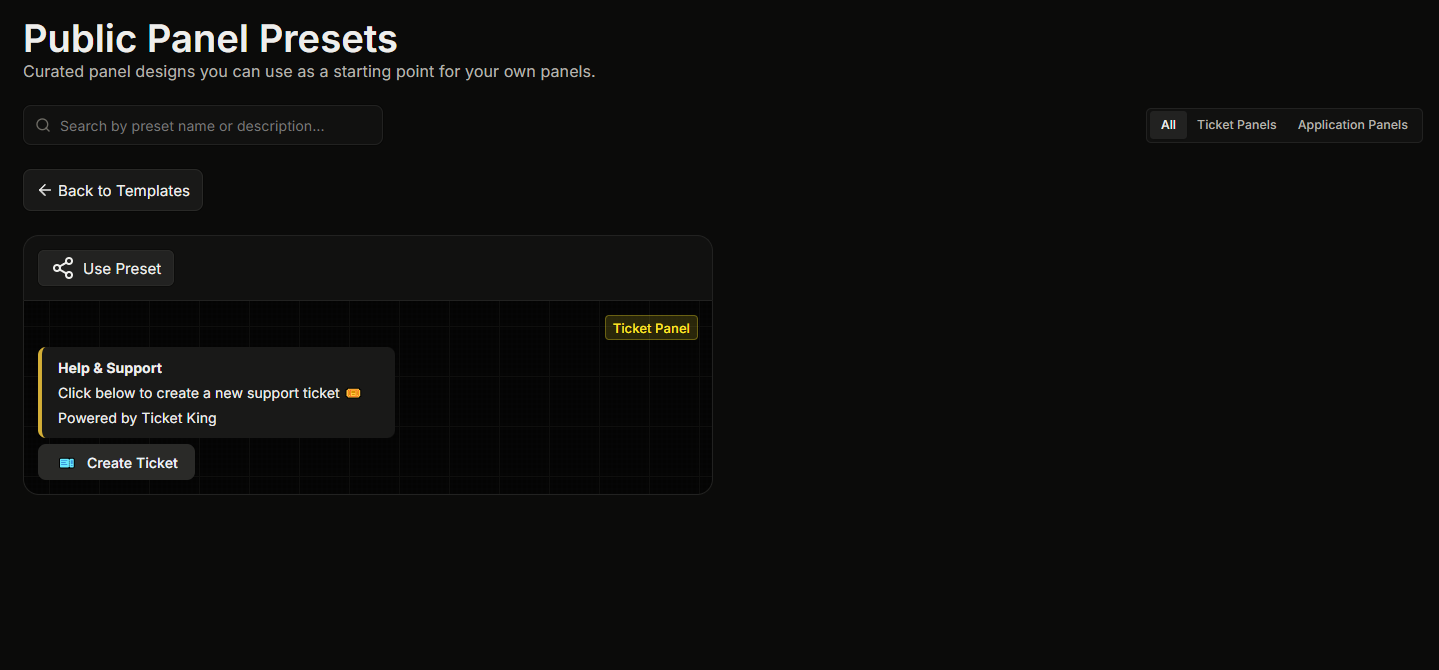
Los ajustes preestablecidos públicos son diseños de panel seleccionados por el desarrollador. Cubren flujos de trabajo comunes de tickets, como soporte general, informes de errores, solicitudes de personal y colaboraciones.
A diferencia de tus privados [Plantillas](https://ticketking.xyz/docs/es/paneles/templates.md), los ajustes preestablecidos públicos son **disponibles para todos los servidores** y el desarrollador los mantiene actualizados.
## Explorar el catálogo
1. Abre la **Plantillas** página desde la barra lateral.
2. Haz clic en el **Ajustes preestablecidos públicos** botón en la parte superior de la página.
Esto abre la **Ajustes preestablecidos públicos del panel** página, donde cada ajuste preestablecido se muestra como una tarjeta con una vista previa en vivo. Puedes buscar en el catálogo por nombre.
## Usar un ajuste preestablecido
En la tarjeta del ajuste preestablecido, haz clic en **Usar ajuste preestablecido**. Esto inicia un nuevo panel precompletado con el diseño del ajuste preestablecido. Se omite el asistente completo de creación. Solo se te pide que elijas el canal al que enviar el panel antes de llegar al editor.
Puedes editar cualquier cosa antes de guardar.
## Lo que no son los ajustes preestablecidos
* **No son un contrato.** Cada ajuste preestablecido es totalmente personalizable después de iniciar un panel a partir de él.
* **No son tu equipo de soporte.** Un ajuste preestablecido solo te proporciona el diseño. Tu panel sigue utilizando los roles de soporte de tu servidor, tus canales y tus configuraciones.
## Relacionado
{% content-ref url="/pages/53e6130f25bab3085e395ca5e757c86553966dcb" %}
[Plantillas](https://ticketking.xyz/docs/es/paneles/templates.md)
{% endcontent-ref %}
---
# Agent Instructions
This documentation is published with GitBook. GitBook is the documentation platform designed so that both humans and AI agents can read, navigate, and reason over technical content effectively. Learn more at gitbook.com.
## Querying This Documentation
If you need additional information that is not directly available in this page, you can query the documentation by asking a question.
Perform an HTTP GET request on the following URL with the `ask` and `goal` query parameters:
```
GET https://ticketking.xyz/docs/es/paneles/public-presets.md?ask=&goal=
```
`ask` is the immediate question: it should be specific, self-contained, and written in natural language.
`goal` is what the user is ultimately trying to achieve, the reason they need the answer. Sharing it helps GitBook give you a better, more relevant answer. A goal is most helpful when it describes the outcome the user wants rather than restating the question. For example, with `ask=how do I create an API token`, a goal like `automate deployments from our CI pipeline` lets GitBook tailor the answer to that use case.
The response will contain a direct answer to the question and relevant excerpts and sources from the documentation.
Use this mechanism when the answer is not explicitly present in the current page, you need clarification or additional context, or you want to retrieve related documentation sections.