> For the complete documentation index, see [llms.txt](https://ticketking.xyz/docs/llms.txt). Markdown versions of documentation pages are available by appending `.md` to page URLs; this page is available as [Markdown](https://ticketking.xyz/docs/de/erste-schritte/open-your-dashboard.md).
# Öffne dein Dashboard
Melde dich unter ticketking.xyz an, um den Bot zu konfigurieren.
Das Ticket-King-Dashboard ist der Ort, an dem du alles einrichtest: Panels, Support-Rollen, Protokollierung, Anpassung und jede Einstellung. Der Discord-Bot ist der Teil, den deine Mitglieder sehen. Im Dashboard konfigurierst du ihn.
Öffne dein Dashboard
## Erste Schritte
{% stepper %}
{% step %}
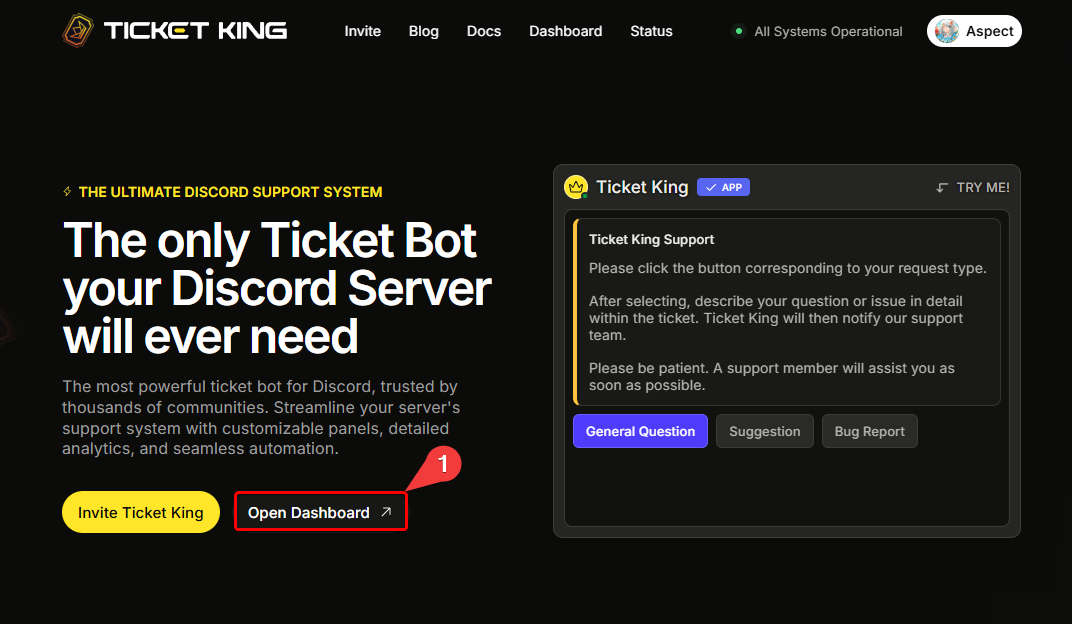
### Gehe zu ticketking.xyz und klicke auf Dashboard
Gehe zu [ticketking.xyz](https://ticketking.xyz) und klicke auf **Dashboard**.
{% endstep %}
{% step %}
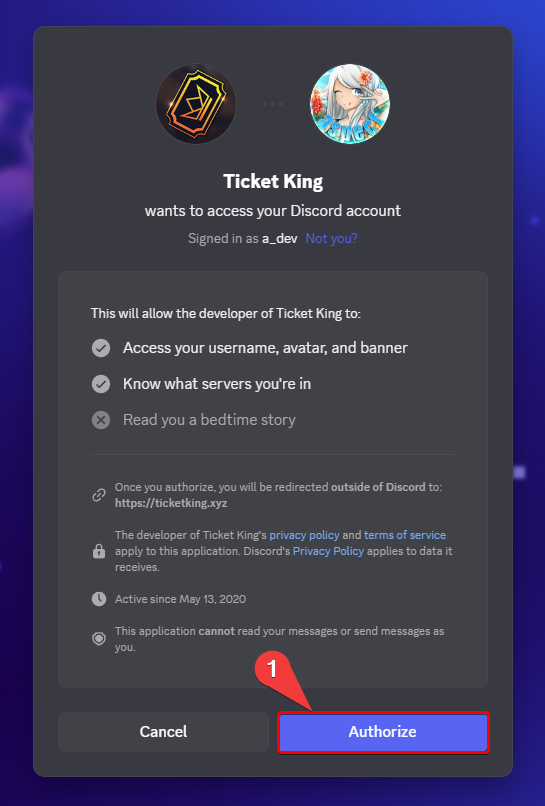
### Mit Discord anmelden
Melde dich mit Discord an. Wenn du das zum ersten Mal machst, fordert Discord dich auf, die Anmeldung zu autorisieren.
{% endstep %}
{% step %}
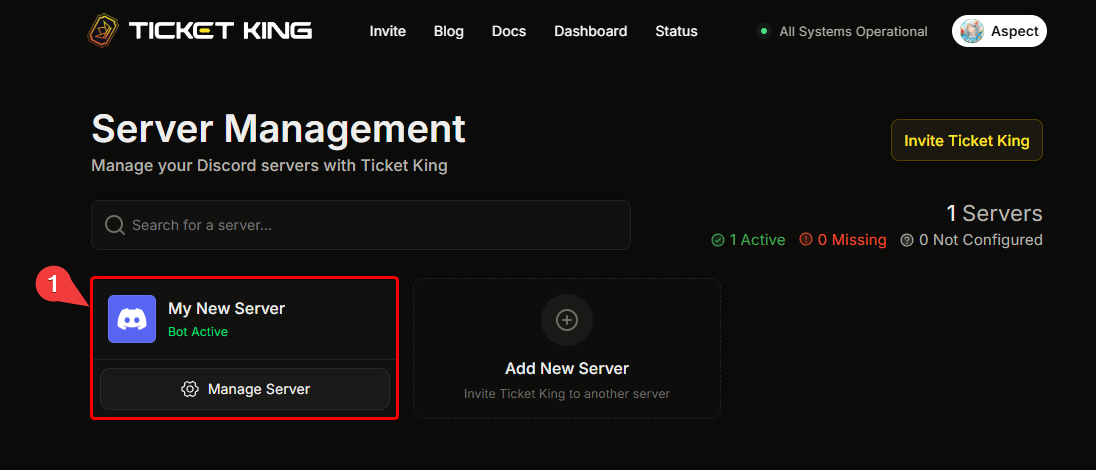
### Wähle den Server aus, den du konfigurieren möchtest
Wähle den Server aus, den du konfigurieren möchtest. Das war's.
→ [Wähle deinen Server](/docs/de/erste-schritte/pick-your-server.md)
{% endstep %}
{% endstepper %}
## Probleme bei der Anmeldung
* Wenn du immer wieder aufgefordert wirst, dich anzumelden, lösche die Browser-Cookies für `discord.com` und `ticketking.xyz` und versuche es erneut.
* Wenn dein Server nach der Anmeldung nicht angezeigt wird, hast du möglicherweise keine **Server verwalten** oder **Administrator** in diesem Server (oder bist der Besitzer), oder Ticket King wurde noch nicht eingeladen.
→ [Ich kann nicht auf das Dashboard zugreifen](/docs/de/fehlerbehebung/cant-access-dashboard.md)
## Als Nächstes: Wähle deinen Server
{% content-ref url="/pages/72f9119680ac22d1e02b2237d33584ea1a728dd8" %}
[Wähle deinen Server aus](/docs/de/erste-schritte/pick-your-server.md)
{% endcontent-ref %}
---
# Agent Instructions
This documentation is published with GitBook. GitBook is the documentation platform designed so that both humans and AI agents can read, navigate, and reason over technical content effectively. Learn more at gitbook.com.
## Querying This Documentation
If you need additional information that is not directly available in this page, you can query the documentation dynamically by asking a question.
Perform an HTTP GET request on the current page URL with the `ask` query parameter, and the optional `goal` query parameter:
```
GET https://ticketking.xyz/docs/de/erste-schritte/open-your-dashboard.md?ask=&goal=
```
`ask` is the immediate question: it should be specific, self-contained, and written in natural language.
`goal` is optional and describes the broader end goal you are ultimately trying to accomplish on behalf of the user. GitBook uses it to tailor the answer towards what is most useful for that goal.
The response will contain a direct answer to the question and relevant excerpts and sources from the documentation.
Use this mechanism when the answer is not explicitly present in the current page, you need clarification or additional context, or you want to retrieve related documentation sections.